Lemus Plugin Manager
An app that lists the released Lemus plugins and installs, updates and removes them. It is optional: every plugin keeps its own download on the download page, and the plugins never need it.
Expect bugs, and changes before 1.0. The installers aren't signed yet, so macOS and Windows warn before opening them. How to open them
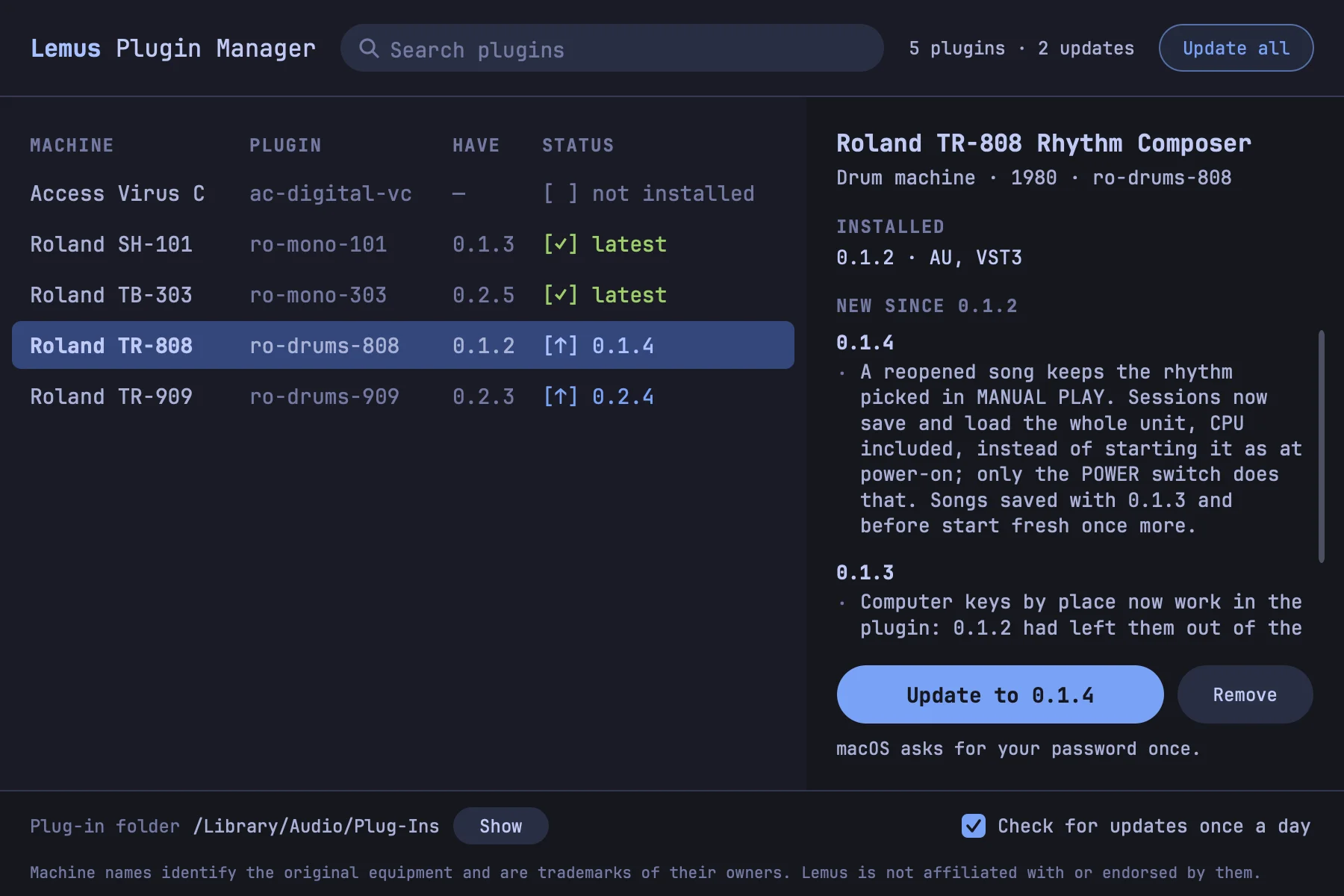
What it does
It reads the list of released plugins from lemusdev.org, the file the plugins' own update check reads, and shows each one with the version you have. Install puts the formats you tick where every DAW looks: /Library/Audio/Plug-Ins and /Applications on macOS; C:\Program Files\Common Files\VST3 and C:\Program Files\Lemus on Windows, with a Start menu shortcut. Update installs the new version over yours and keeps the formats you have; Update all does every plugin with an update. Remove deletes a plugin's copies; your ROMs, artwork and songs stay.
It installs from the same files the plugin pages offer, downloaded from each plugin's GitHub release and checked against their SHA-256 first: a download that doesn't match is thrown away and the installed version stays. Each install, update, Update all or removal asks once for permission: your password on macOS, the permission prompt on Windows.
Its own updates
When a newer Plugin Manager is out, it offers it when it opens: Later, or Update now, which installs it and starts the new version. Plugins update only when you click.
Privacy
It sends nothing about you: it reads the list from lemusdev.org and downloads installers from GitHub. When something fails, Copy details puts what helps a report on the clipboard (the version, your system, the error and the installer's log), to paste into a post on the forum. After a crash, the next launch offers the same.
Installing it
macOS: the installer puts Lemus Plugin Manager in /Applications. It isn't signed or notarised yet, so macOS refuses it the first time: allow it with System Settings › Privacy & Security › Open Anyway. The plugins it installs open without that step.
Windows: unzip it and run Lemus Plugin Manager.exe from a folder you can write to, so it can update itself. It isn't signed yet: keep the download if the browser warns, and choose More info › Run anyway if SmartScreen stops it.
The source is manager/ in the Lemus repository, under the GNU AGPLv3.